Crew Battle Stream App
A local-first, web-based scoreboard manager for fighting game streamers with instant OBS integration.
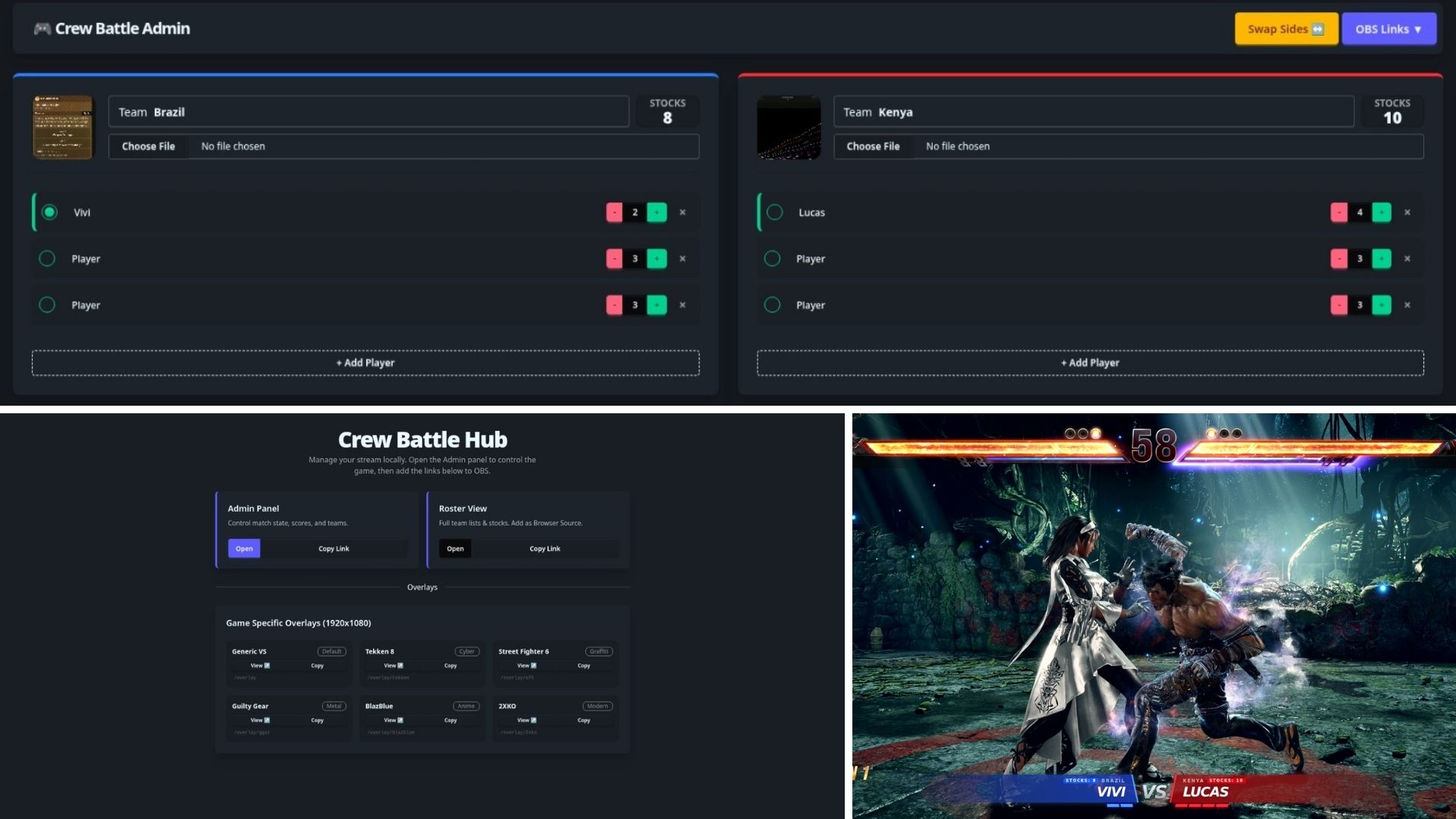
So I actually stream fighting games and crew battles from time to time at My Stream(casual plug) but I had the issue that I needed a scoreboard for my crew battles to make it easier to change teams and scores. Actually there is a app that does it called TSH which has all this feature plus way more built in but it has one big problem for me, despite being free and open source, it doesnt run on linux. I changed to linux about 8 months at the time of writing this and I wasnt able to find a solution that worked for me. I wasnt going back to windows just to use this app so I decided to build my own. I wanted a solution that was local-first, fast, and didn't rely on an internet connection to update the stream overlay as well as simple to use without all the extra features that TSH has. This app is what I came up with and it allows tournament organizers to control match states in one tab while OBS overlays update instantly.
Key Features
-
Zero-Latency OBS Sync:
Updates on the Admin panel reflect on the stream in ~1 second via local polling. No cloud database required—everything runs on
localhost. - Game-Specific Themes: I built custom overlay designs for major titles like Tekken 8, Street Fighter 6, and Guilty Gear so streamers can switch games instantly without redesigning their scenes. with new versions adding new games is as simple as adding a new theme.
- Persistent Local Data: Using Node.js file systems, all scores and team names are saved to a local JSON file. If the app or computer crashes, the tournament state is safe and restores instantly upon restart.
- Simple to Use: The admin panel is designed to be intuitive and easy to navigate, with clear instructions and helpful tooltips to guide users through the process.
- Cross-Platform: The app is built with SvelteKit, which means it can run on any platform that supports Node.js, including Windows, macOS, and Linux.
Under the Hood
I built this with SvelteKit for the reactive UI and packaged it as a standalone executable using @jesterkit/exe-sveltekit. This means streamers don't need to install Node.js or run terminal commands—they just double-click the .exe and start the show.